Design Inputs
There are two tabs in the middle of Quote Builder: "Quote" and "Design". The Quote section allows you to edit your line items as they might appear on a quotation for the selected retaining wall. The Design section allows you to fine-tune the inputs for the design of the retaining wall.
Design Parameters
This section has four categories: Soil Properties, Design Methodology, Parameters, and Errors.
Errors Section
The Errors section is designed to be used if you share your project with an engineer - this is where the engineer can approve the soil conditions and parameters.
Soil Properties
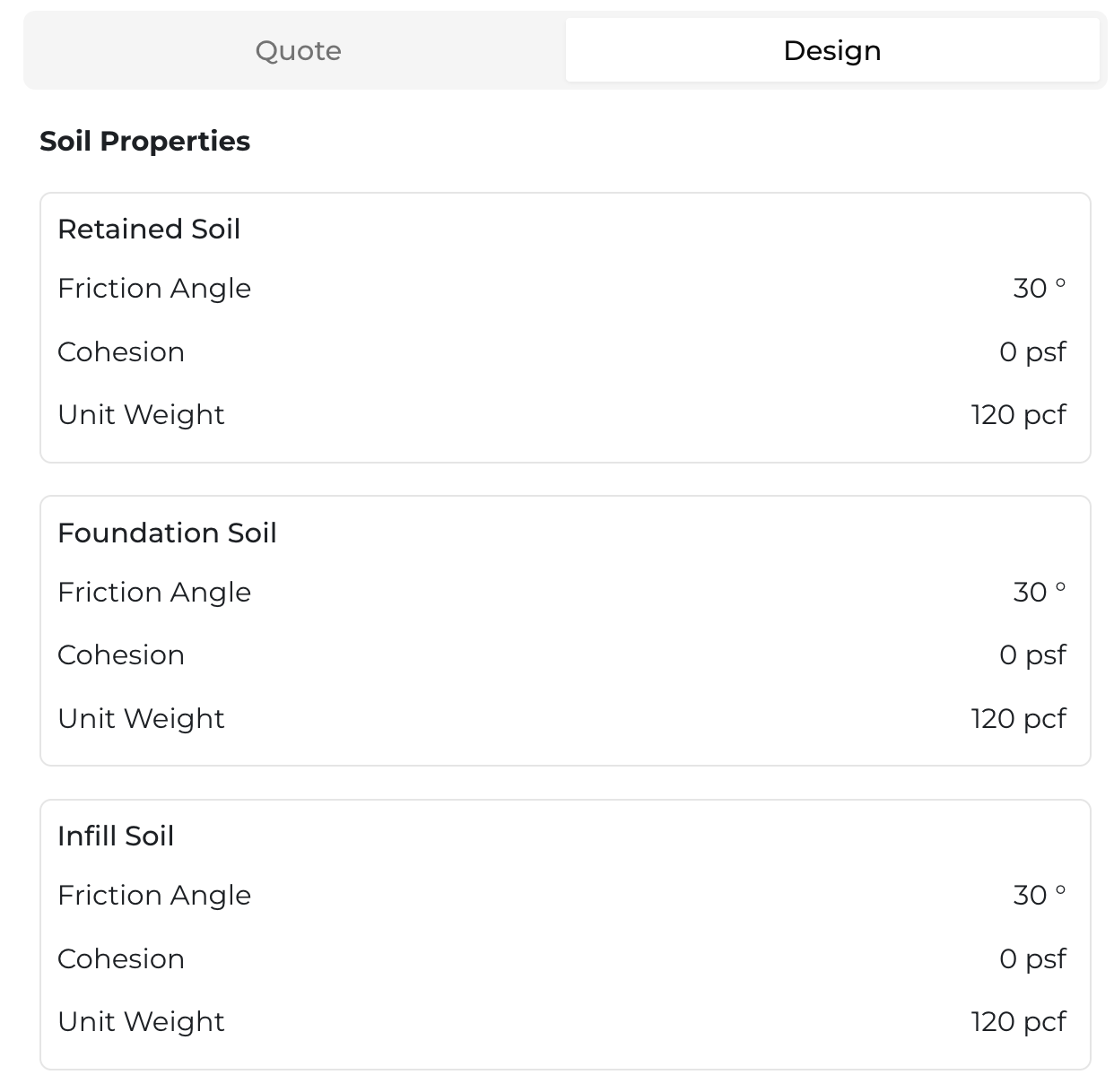
The Soil Parameters section is where you input your soil conditions for the entire wall in three different zones:
- Retained Zone (behind the wall reinforcement)
- Foundation Zone (beneath the wall)
- Infill Zone (within the reinforcement of the wall)
To change soil conditions, merely click on the current value and it will provide you alternate options for that soil condition.
Design Methodology
The Design Methodology section has three options:
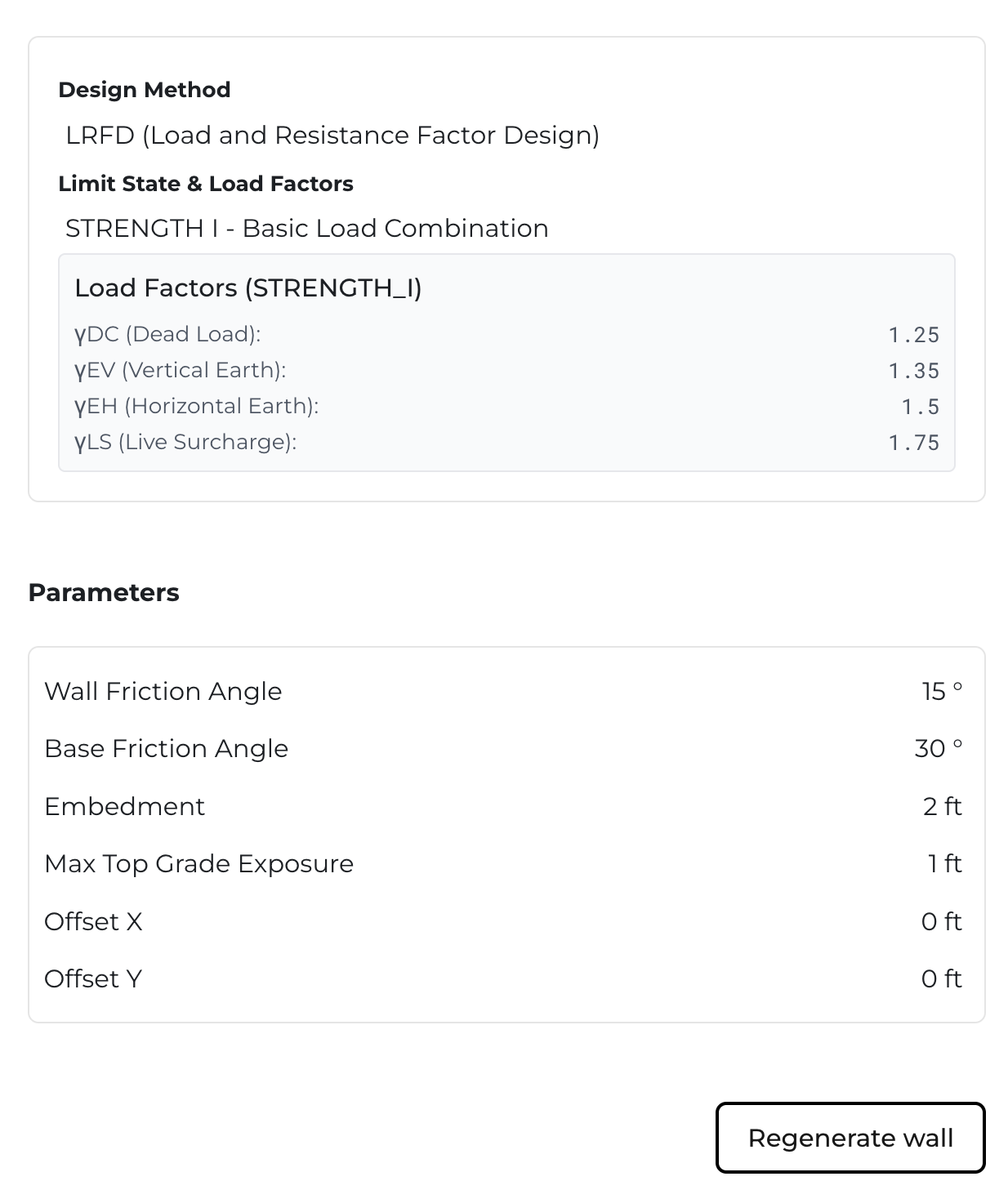
- Design Method (LRFD or ASD)
- Limit State & Load Factors (Strengths based on methodology selected)
- Load Factors (where you can see or edit the factors of safety)
Parameters
The Parameters section has five options:
- Wall Friction Angle
- Base Friction Angle
- Embedment
- Max Top Grade Exposure
- X/Y Offset
The X/Y Offset allows you to change the location of the retaining wall units relative to the envelope that was taken off on the previous page. The Max Top Grade exposure section allows you to vary how aggressive or conservative you would like the wall to treat top-of-wall conditions; for example, a tall max top grade exposure would allow the top of wall grades to go above the top units by a certain amount prior to the wall system "stepping up". Embedment determines how much you would like the bottom of the wall to be buried by the bottom of wall grade in front. Wall and Base Friction angle are the frictional components between the wall system and it's surrounding context - it is best to consult an engineer to determine this factor. It is the user's responsibility to determine the correct soil conditions and parameters.
Regenerating the Wall
Whenever you change anything in the design panel, you must hit the button "Regenerate wall" at the bottom of the design panel.