Quote Builder Overview
The Quote Builder page takes your takeoff and places retaining wall units within the envelope. It does this in accordance with Estimation Charts provided by the wall system proprietor. This page allows users to review, modify, and quote the retaining wall, all in one location.
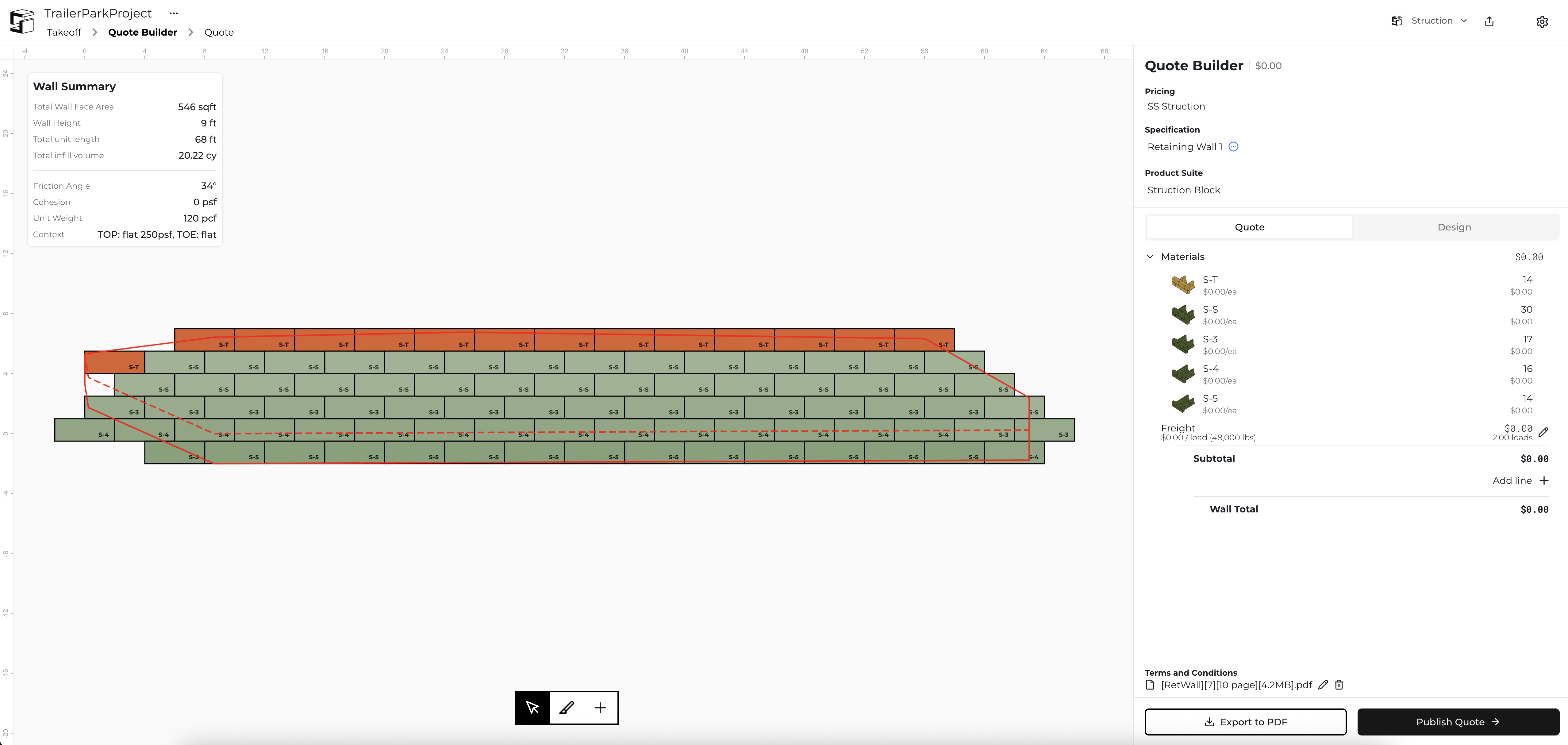
The Quote Builder interface consists of three main areas:
- The Canvas (center) - Visual representation of the retaining wall
- Wall Summary (upper left) - Key wall information
- Quote Builder Panel (right) - Quote configuration and pricing
Quote Builder Panel
Quote Builder is the large column located on the right side of the screen. This is where you can adjust high-level information about the retaining wall in order to produce an accurate quotation for each wall.
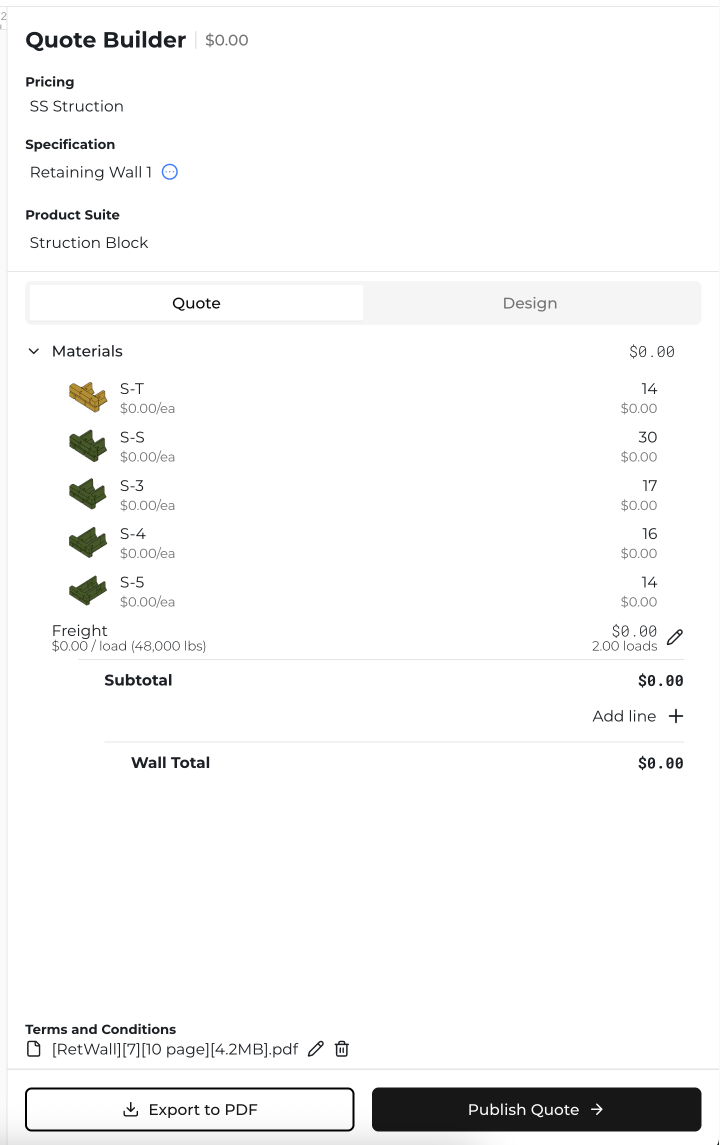
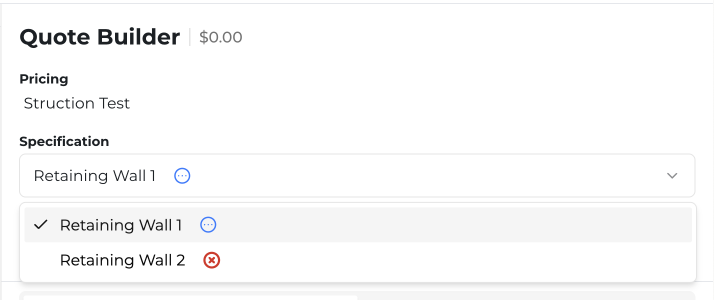
The top section includes 4 key components:
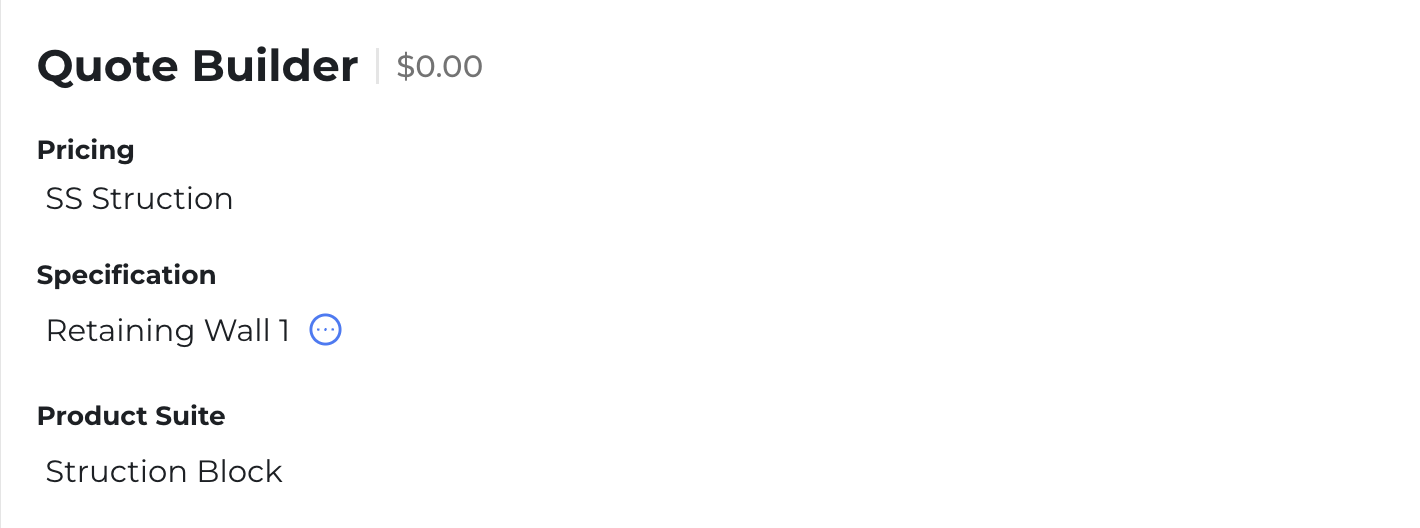
- Grand Total - Listed to the right of "Quote Builder". You can only modify this figure by adjusting the individual prices of each wall in the Quote tab.

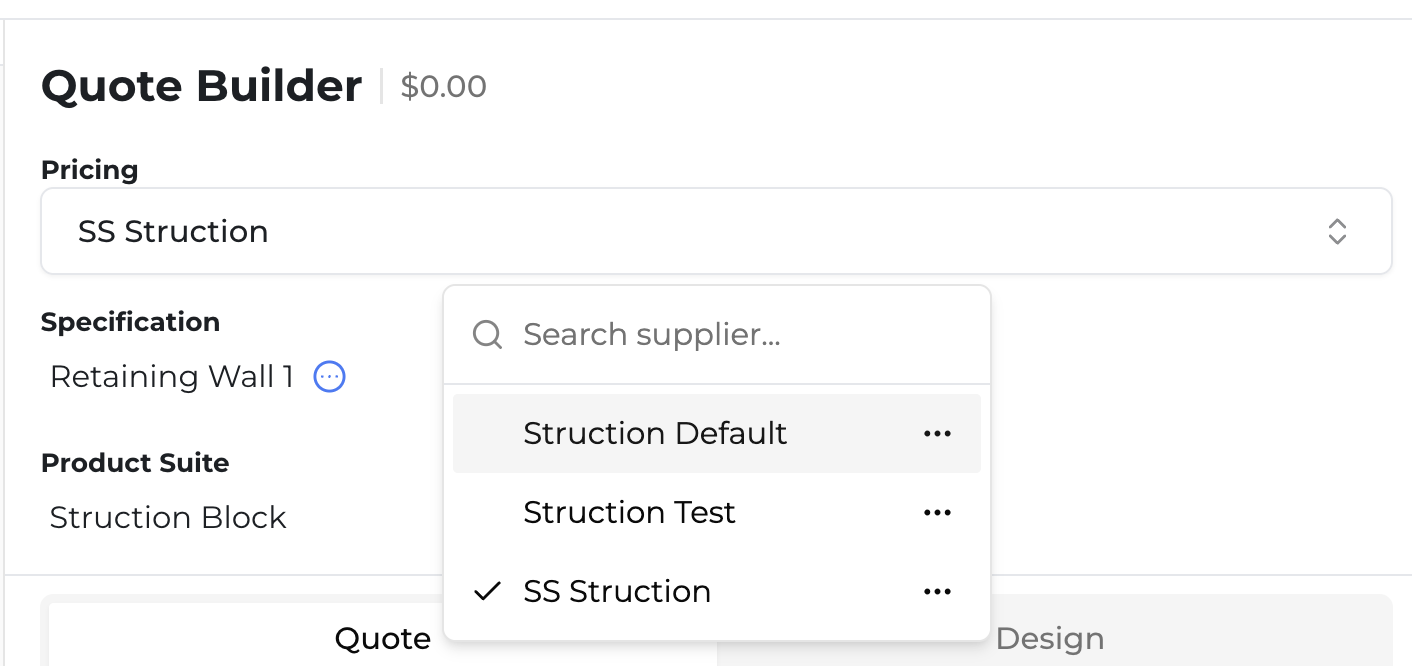
- Pricing - Shows which pricing chart you have selected to quote this retaining wall with. You can select a new chart by clicking on the field below the word "Pricing" if you have created multiple pricing charts.
- Specification - Shows which retaining wall you have selected to review and/or modify. You can select a new wall by clicking on the field below the word "Specification" so long as you have taken off multiple retaining walls.
- Product Suite - Shows which retaining wall system you want to build this wall in. You can select a new retaining wall system by clicking on the field below the word "Product Suite" so long as your account has access to other retaining wall systems. If you would like access to other retaining wall systems, contact Joseph at joseph@struction.co.